
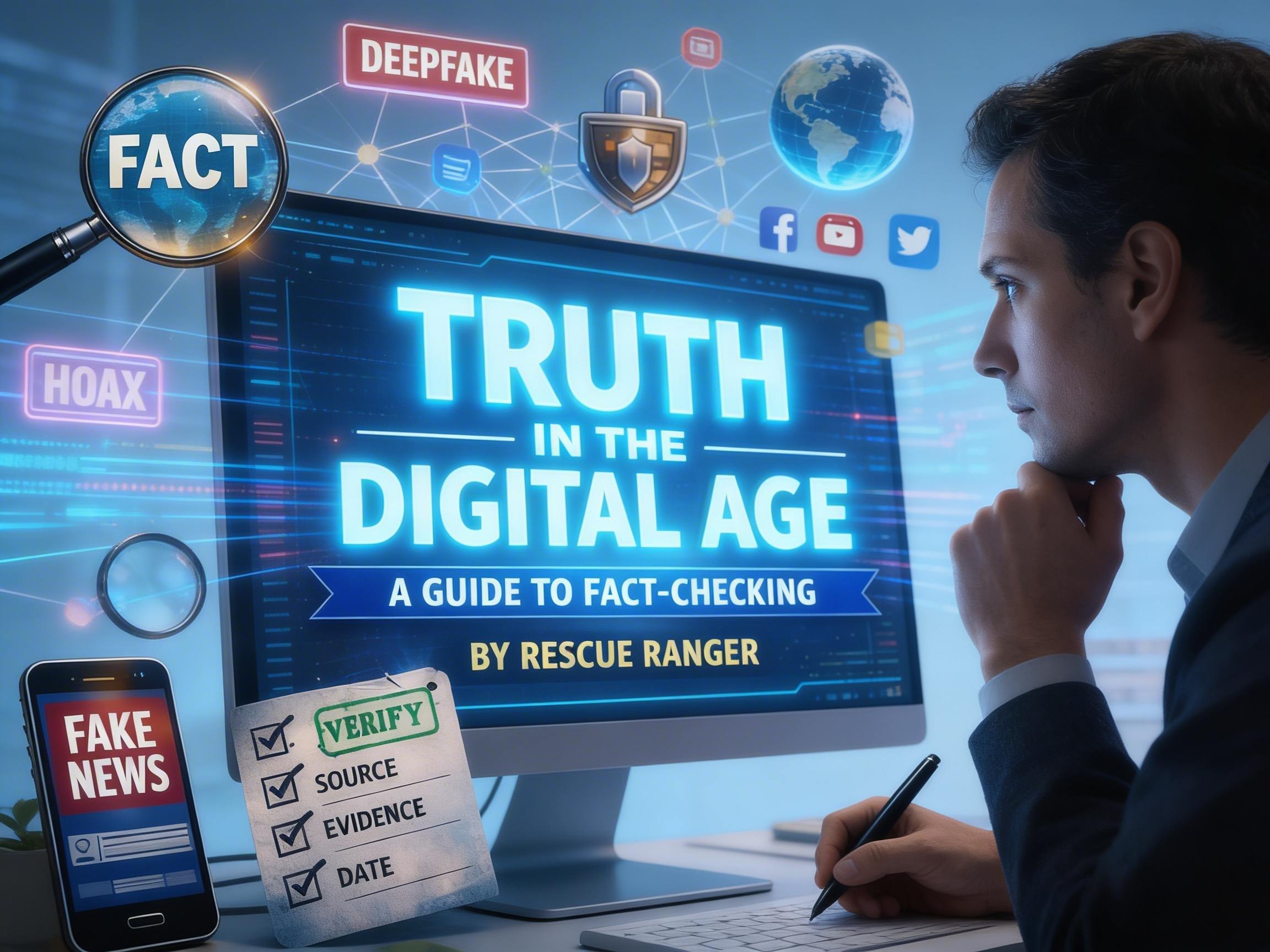

In an age where social media has become the primary source of news for many people, it is becoming increasingly difficult to separate facts from noise. Whether it is a viral “breaking news” post, a suspicious image, or a dramatic video clip, digital awareness is now essential.
This guide offers a simple framework to strengthen your fact checking habits, improve digital literacy, and help prevent the spread of misinformation and disinformation online.
What Are Facts?
Facts are verifiable pieces of information. They answer the basic journalistic questions: who, what, when, where, why, and how. Facts may include names, dates, numbers, locations, quotations, research findings, statistics, historical events, survey data, institutional names, and other details that can be checked against reliable sources.
What Is Fact Checking?
Fact checking is the process of verifying the factual accuracy of statements, claims, images, videos, and reports before sharing them. Good fact checking relies on evidence, context, and trustworthy primary and secondary sources.
Why People Get Facts Wrong
Errors often happen in the spelling of names, the wording of quotes, dates, institutional references, or the context of an event. Sometimes these mistakes are accidental. At other times, facts may be distorted deliberately to mislead audiences, manipulate perception, or shape public opinion.
When assessing questionable content, three simple questions can help:
- Follow the money
- Consider the source
- Ask who benefits
These questions often reveal the motive behind misleading narratives.
Facts Are Only as Strong as Their Sources
There are two broad categories of sources:
Primary sources include:
- official documents
- transcripts
- raw data
- scientific studies
- recorded interviews
- firsthand observation
- original reporting
Secondary sources include:
- news articles
- magazine features
- books
- commentary or analysis pieces
Even then, sources must be treated carefully. Information can be outdated, biased, incomplete, or poorly interpreted. Reliable fact checking depends not only on finding a source, but on evaluating its credibility and relevance.
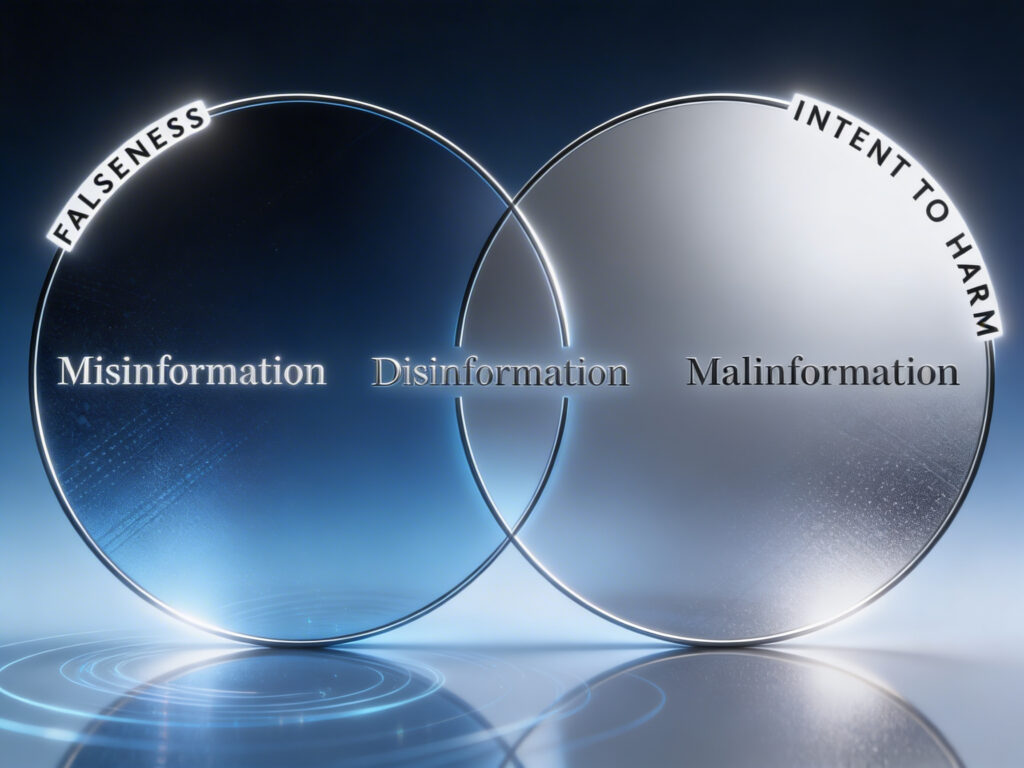
1) Understand the Difference: Misinformation vs. Disinformation
Not all false information is the same.
Misinformation is false information shared without harmful intent.
Example: someone sharing an inaccurate health tip because they believe it is helpful.
Disinformation is false information created or shared deliberately to deceive, manipulate, or cause harm.
Understanding intent matters, because it shapes how we respond to misleading content.
2) Use a Basic Verification Checklist
Before sharing any post, article, clip, or image, pause and check the following:
Verify the Source
Ask:
- Is this a known and credible outlet?
- Does it have an “About Us” page?
- Does it publish corrections when errors occur?
- Is the author identifiable and credible?
A source may have a perspective or editorial leaning, but that is different from being unreliable.
Cross-Reference the Claim
Never rely on a single source, especially for major news. If something significant has happened, multiple credible outlets should be reporting it independently.
If only one obscure page or anonymous account has the story, treat it with caution.
Analyze the Language
Watch for emotionally manipulative headlines. If a post is designed mainly to make you angry, afraid, or outraged, that is often a sign that emotion is being used to bypass careful thinking.
3) Look for Evidence and Context
A claim without evidence is only a rumor.
Before trusting a post:
- check whether the article links to the documents, studies, or footage it mentions
- verify whether the quote is complete or selectively edited
- look for the original speech, full transcript, official statement, or complete video
Sometimes the words are real, but the context is removed to create a false impression. Context is not optional; it is part of the truth.
4) Spotting AI-Generated and Synthetic Media
https://bbc.com/news/videos/c050eq4llpro
AI-generated content is improving quickly, but it still leaves clues.
For Images
Look closely at:
- hands and fingers
- teeth and facial details
- mismatched earrings or jewelry
- distorted text in the background
- strange architecture or objects that do not make sense
For Videos
Watch for:
- unnatural blinking
- overly smooth or plastic-looking skin
- lip movements that do not fully match the audio
- odd voice texture, metallic tone, or unnatural pauses
Synthetic media is becoming more convincing, so the safest approach is to assume suspicious content requires verification before belief or sharing.
5) How to Stop the Spread of False Content
If you come across a false post:
- Do not amplify it unnecessarily
Sometimes even arguing with false content can increase its visibility on social platforms. - Report it using platform tools
Use built-in reporting options where available. - Share verified information instead
Rather than reposting falsehood, share a reliable correction or a fact-check from a credible source.
Think Before You Link
1-Always apply the C.R.A.P. test
A useful test before sharing anything is the C.R.A.P. test:
C — Currency
When was this posted? Old information is often reshared as if it is new.
R — Reliability
Does the site cite evidence? Does it have editorial standards?
A — Authority
Is the author qualified, identifiable, and accountable?
P — Purpose
Is the content intended to inform, or is it trying to provoke, sell, manipulate, or inflame?
2-The 3-Source Rule
Never trust a “bombshell” that only appears on one website.
- Search the headline: If it’s true, at least three major, independent news organizations (e.g., AP, Reuters, BBC, Wall Street Journal) should be reporting it.
- Check Fact-Checkers: Search the claim on Snopes.com, PolitiFact.com, or FactCheck.org.
3-SPOTTING AI & SYNTHETIC MEDIA
AI makes mistakes. Look for these “glitches”:
The Audio: Listen for “robotic” pauses or a metallic tingle in the voice.
The Hands & Ears: Look for missing fingers, merged hands, or earrings that don’t match.
The Eyes: Does the person have a “dead” stare? Do they blink naturally?
The Background: Look for “melting” objects, nonsensical text, or blurry edges where a person’s hair meets the background.
How to use Gemini to check for synthetic images:
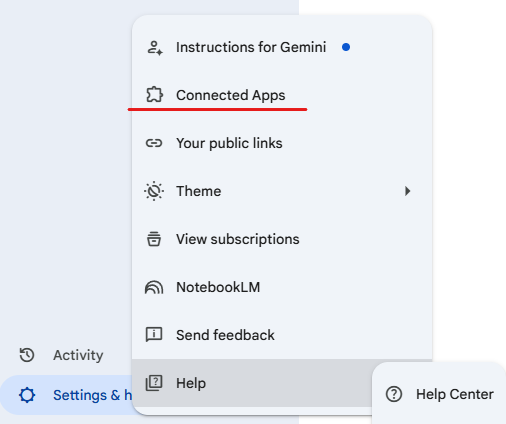
1. Open Gemini and go to the App tab
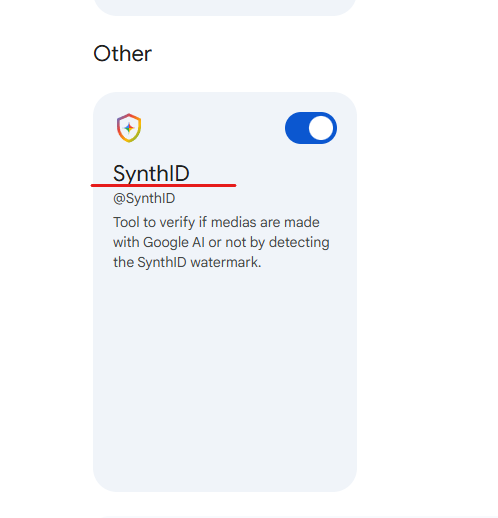
2. Scroll to the bottom of the Gemini apps page and make sure that SynthID is enabled
3. Now go to Gemini and run a test on an AI image. For this I have prepared a test image in advance:

4. We upload the image on Gemini Chat and use the following prompt.
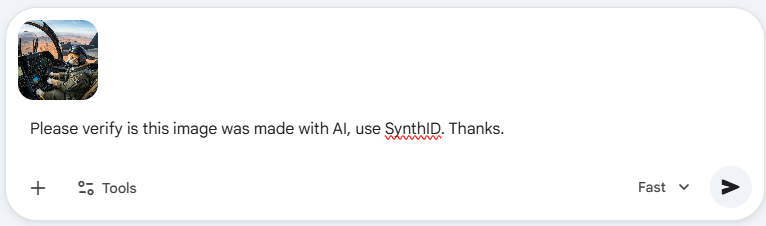
5. This prompt is telling Gemini that we wish for it to verify if this image is made with AI and asking it to use SynthID to test for watermarks on the image.
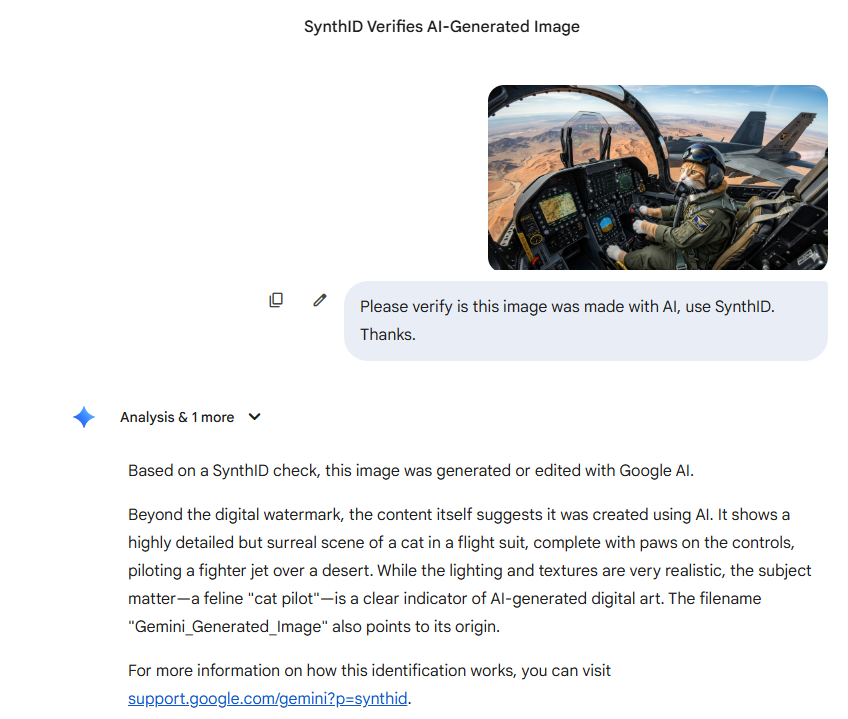
6. Here is our result:
Note: All images used here are for educational purposes only and they remain property of their respective owners. For any copyright concerns, please contact us
Notice: This check will only work for AI generated content that has a watermark on the image or video – most creators will now suppress or use methods to conceal the watermark to avoid detection. For this we can use other tools that I will mention further down below.
Tools and resources:
Please find a list of useful tools and resources you can use to verify news and content online before sharing:
Fact Checking:
- 20-Minutes The 20-minute editorial team provides you with its “fake off” fact-checking section to combat fake news.
- BBC Verify The BBC’s in house fact-checking team who investigate video and clips and analysing data.
- Boomlive Leading fact-checkers investigates news, public data, algorithms, social media posts, public statements of consequence.
- Fact Check Website that aims to reduce the level of deception and confusion in U.S. politics.
- Fact Check Explorer Gonzo’s Python version of his fact check explorer tool.
- FEAT Gonzo’s FactCheck Explore Analysis Tool.
- Google FCE Search facts about a topic or person.
- Google Trends Google Trends is a website by Google that analyzes the popularity of top search queries in Google Search
- HoaxBuster Collaborative platform against disinformation: its website allows you to identify hoaxes on the Web, that is to say hoaxes.
- Internet Archive This tool aims to combat disinformation by making more first-hand, accurate information available to the public in a “digital library”.
- Open Measures Analyze hate and disinformation online.
- Politifact PolitiFact.com is a fact checking website that rates the accuracy of claims made by elected officials, politicians, and other public figures.
- RAND Tools that fight disinformation online.
- Snoopes Internet reference source for researching urban legends, folklore, myths, rumors, and misinformation.
- Verfication Toolbox A toolbox designed to help simplify and streamline verification for beginner.
Image Verification:
- AI or Not Detect AI-generated images & audio for your business – and yourself.
- Content At Scale AI image detector will determine if any of them have been generated by AI.
- EKagent Earthkit Agent is a multi-modal agent combines real-time information with state-of-the-art ML models to perform accurate geolocation and verification.
- FID Fake Image Detector, a powerful tool for detecting manipulated image.
- Forensically The magnifier allows you to see small hidden details in an image.
- FotoForensics Forensics analysis tools to determine whether a picture was modified or manipulated.
- GoogleGet helpful context with about this images you find online.
- Hugging Faces This app is a proof-of-concept demonstration of using a ViT model to predict whether an artistic image was generated using AI.
- Illuminarty Detect AI generated images, synthetic, tampered images and Deepfake.
- InVid The InVID project develops a video verification platform to detect emerging stories and assess the reliability of video content spread via social media.
- V7 Labs V7 has released a fake profile picture detector to help you identify if the person is real or not.
Further training resources:
Verification Handbook A definitive guide to verifying digital content for emergency coverage.
Bellingcat A beginner’s guide to social media verification.
First Draft Online training and resources.
Poynter Some free training in relation to Fact Checking.
Final Thought
Truth online is no longer something we can take for granted. Every user now has a role in protecting the information environment. A few extra minutes spent checking a claim, source, image, or video can prevent confusion, reputational harm, and the viral spread of falsehood.
In the digital age, responsible sharing is not just good practice. It is a civic duty.